The period from October 8 to October 22, 2026 produced 12 phishing campaigns and 47 detections. They reached 27 organizations in ten states. Kentucky accounted for 21 detections and Georgia for 9. One fake Microsoft Support scareware campaign, delivered through paid Facebook ads, produced 31 detections on its own. That page and two fake device-lock pages collected no credentials. Their only goal was a call to a support number. Most credential pages kept capture away from a visible external form.
They posted back to their own URL, submitted through script handlers, relayed through a live reverse proxy, or sent credentials out by email or SMTP. Several also asked for a one-time code or MFA approval. Most lures used Microsoft branding. Netflix, Amazon and a Paperless Post invitation each appeared once. The scareware ran on Azure across 28 web.core.windows[.]net hostnames, four Azure Front Door hostnames and one Azure Container Apps page. The credential pages sat on lookalike or attacker-controlled domains. Our read is that attackers are removing the outbound form POST that scanners match on. Either nothing is submitted, or the submission blends into the page's own traffic.
Domains Reviewed
- c2jttktarf2i99yge6hbshyu.z13.web.core.windows[.]net/?utm_medium=paid&utm... (31 variants)
- www.bankmenia[.]org/nam/09409858-69fb-4de9-9879-90db22b52eaf/753365ce-ed...
- bagggggg-bah7a3b6fvd2fegt.z01.azurefd[.]net/wcdbcd/index.html?bcda=1-833... (4 variants)
- ecoledemusiqueemi[.]com/ (2 variants)
- benferdlo-20.salmonmushroom-f0512d66.westus2.azurecontainerapps[.]io/wcd...
- www.mcsharepoint[.]com/nam/31e7bcf2-fad8-476c-8a24-4e5f33315cfb/e1e4a111... (2 variants)
- doinggoods[.]icu/withcare/
- login.rebrand.org[.]nz/?c24e0a=HqyyYi-lITaoJvhnWcUGCQWB_DBk-HJ0AQ&sso_re...
- go.canbiltek[.]com/files/shared/dMARHQtty39cIlhJ-UvOxv6_PjgkAbelHGO5KblA...
- sign-in.update-billing.settings.payment-amazon.172-175-88-30.cpanel[.]si...
- apygis[.]pics/
- creativechukwuniyan.morninggoldenlight[.]de/usnd2/index.php?key=rZBgloVJ...
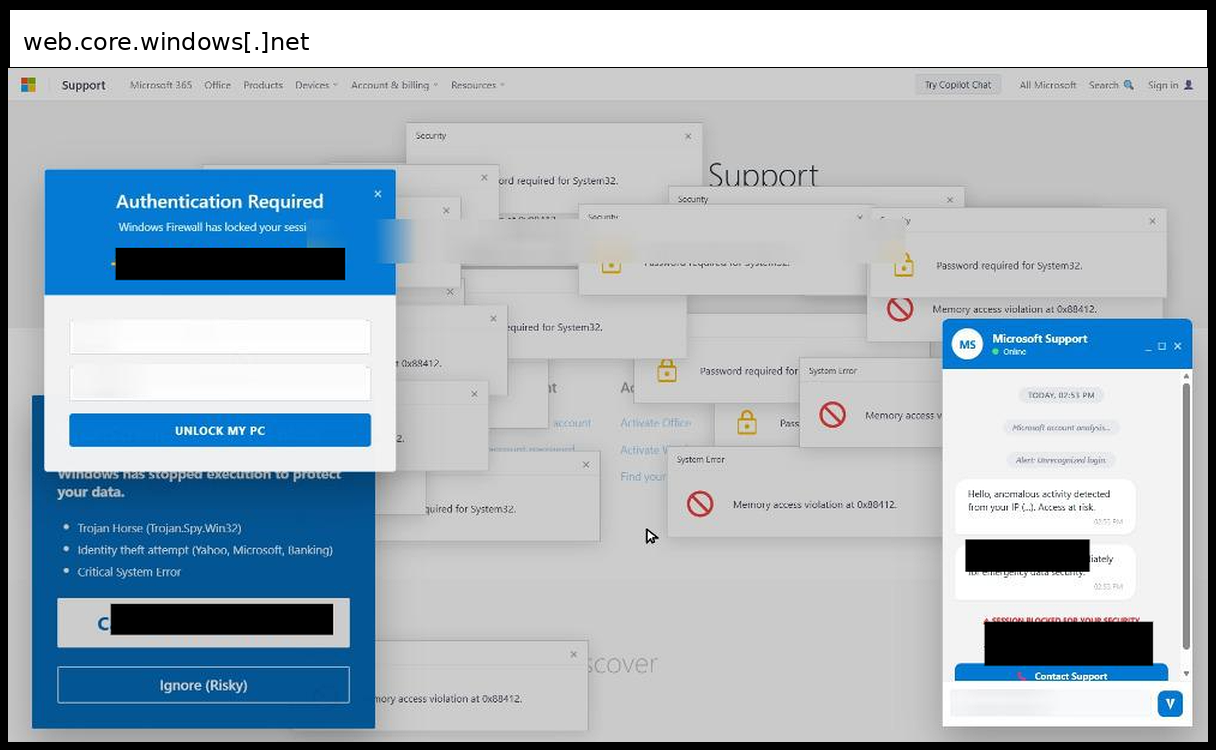
This campaign is a fake Microsoft Support scareware page, reached through paid Facebook ads, that pushes users to phone a number and that targeted organizations in eight U.S. states. 31 detections occurred between October 8 and October 22, 2026. The page is not a credential harvester. A React single-page app draws a copy of the Microsoft Support site and hides the cursor. It then stacks dozens of fake dialogs on top, such as "Memory access violation at 0x88412" and "Password required for System32". A blue SmartScreen box reports a Trojan and an identity theft attempt.
Related subdomain variants:
- amwvq7t6utn8783cu26e3j3m.z19.web.core.windows[.]net
- bk5e9ds9w8kjf2qtb2igushn.z22.web.core.windows[.]net
- c2jttktarf2i99yge6hbshyu.z13.web.core.windows[.]net
- cfjw2s87f4kececag65czzcb.z4.web.core.windows[.]net
- edb8k3swkyy8rkvbkjjujexk.z5.web.core.windows[.]net
- hqfj7feqeai2g3k8atenj6a3.z13.web.core.windows[.]net
- hs3zg3pbck8w3z3dff3q4v7h.z21.web.core.windows[.]net
- i23f8csc4sezuziwrqzmiagv.z20.web.core.windows[.]net
- j5m74mcd79d42eyb4kgnsqyw.z5.web.core.windows[.]net
- jqatx7rujd74jav7fsdsqzje.z22.web.core.windows[.]net
- kyc2zneedzkz3rapb4xytq8u.z21.web.core.windows[.]net
- message1012fb851xgpk5j.z13.web.core.windows[.]net
- message1020js850mtt849.z13.web.core.windows[.]net
- message1020js850oslt3l.z13.web.core.windows[.]net
- message1020js854ctk3f4.z13.web.core.windows[.]net
- message1020js854pg1bx0.z13.web.core.windows[.]net
- message1021js856iy1hol.z13.web.core.windows[.]net
- message1021js856pj17p2.z13.web.core.windows[.]net
- message1021js856vdagms.z13.web.core.windows[.]net
- mjxz3ic5bct9uh4c4arvfe7k.z16.web.core.windows[.]net
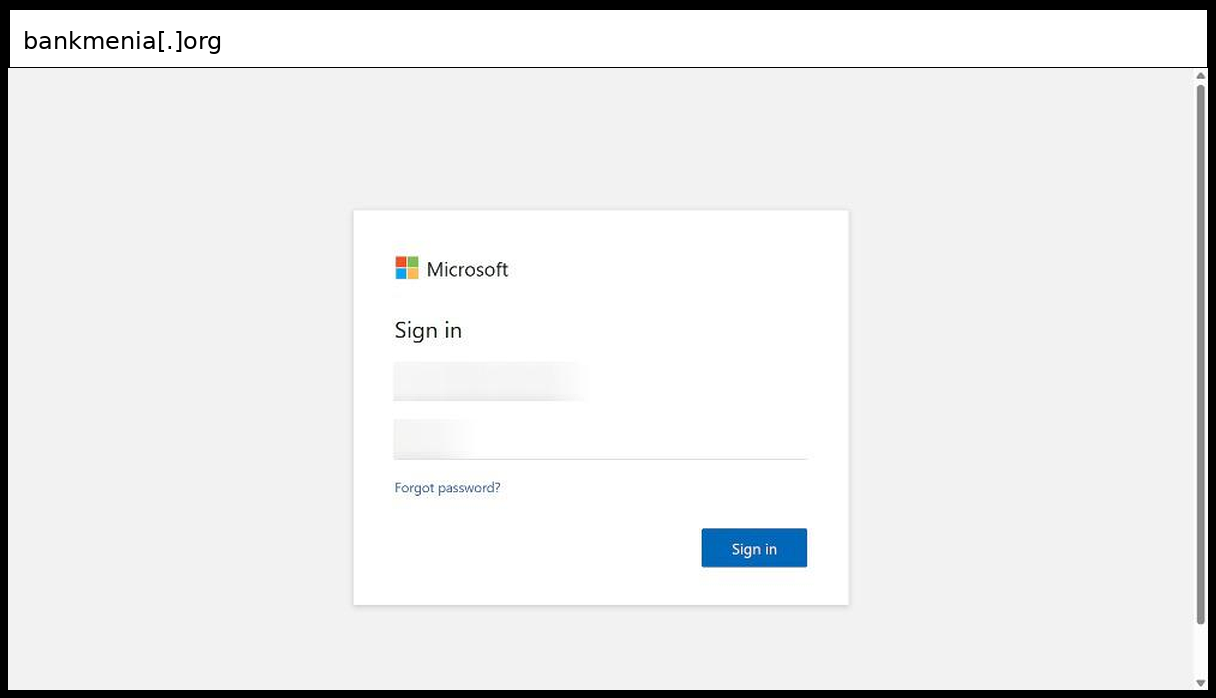
This campaign impersonates a Microsoft sign-in page branded for a university, and it targeted a Connecticut organization. The click was detected on October 22, 2026. The page shows a Microsoft logo and a "Sign in to your account" title. The email and password inputs are not wrapped in a form. The Sign in button is a link to a /nam/Login/FormSubmitted/ path that carries a long encoded token, and /Content/login.js is loaded to handle the entry. The same token appears in the id parameter of the clicked URL, so the link looks tied to a single recipient. The Forgot password link points to the real Microsoft reset service with the university's domain as a parameter. That makes the page look genuine at a glance. The host, bankmenia[.]org, has no tie to Microsoft or the university. Filters that look for a form POST to an external host will miss this page. Detection should key on the lookalike host and the per-recipient path.
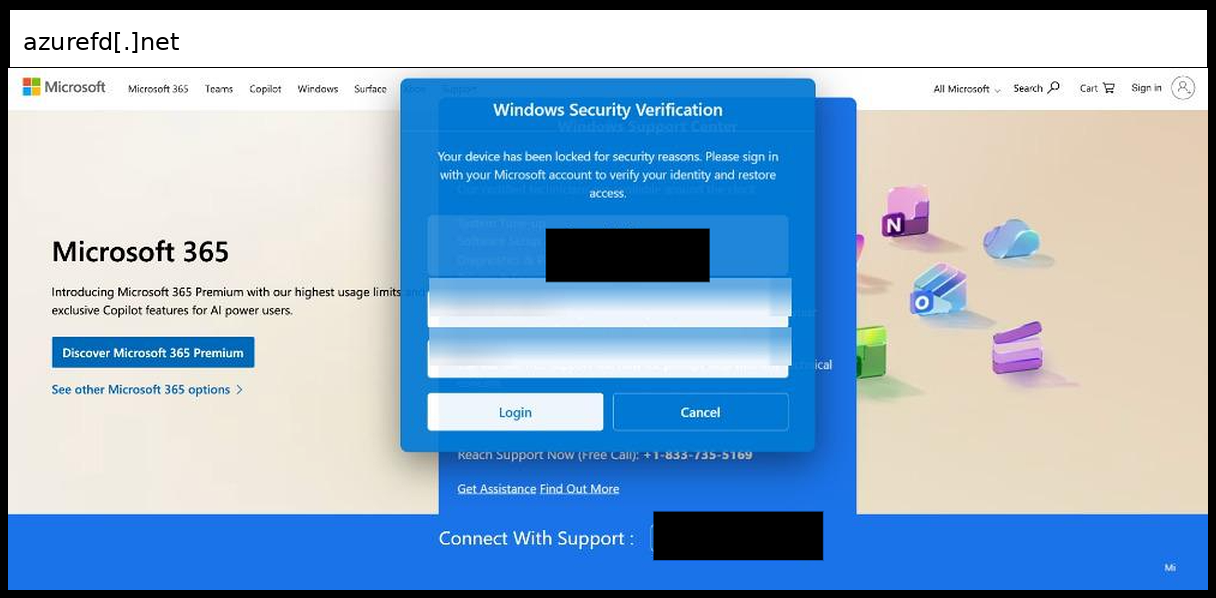
This campaign used a fake Windows Defender lock screen to push users toward a tech-support phone number, and it targeted organizations in Texas, Nevada, and Kentucky. Four detections occurred on October 9, October 14, October 16, and October 19, 2026. The page claims the device is locked and shows a fake Windows Security Verification box with Username and Password inputs. Both inputs are read-only and sit outside any form. The Login and Cancel buttons are links to "#", so nothing is submitted anywhere. The real capture channel is the phone call. A fake scan prompt with Scan Now and Decline buttons and a blinking alert add pressure, and a marquee carries Microsoft Support Services text. The campaign rotated across four hostnames on Azure Front Door. Because the page has no submission code, URL and content scanning for credential posts will miss it. Detection has to key on the phone number and the lure text, and users need to know that a browser warning with a hotline is not a Microsoft message.
Related subdomain variants:
- bagggggg-bah7a3b6fvd2fegt.z01.azurefd[.]net
- garedocom-ckcbg3g7c3cnhyhp.z03.azurefd[.]net
- vnefrkvn-gycre0azhjb7augn.z03.azurefd[.]net
- zomdot-d3g4ctfvgra2dwb0.z03.azurefd[.]net
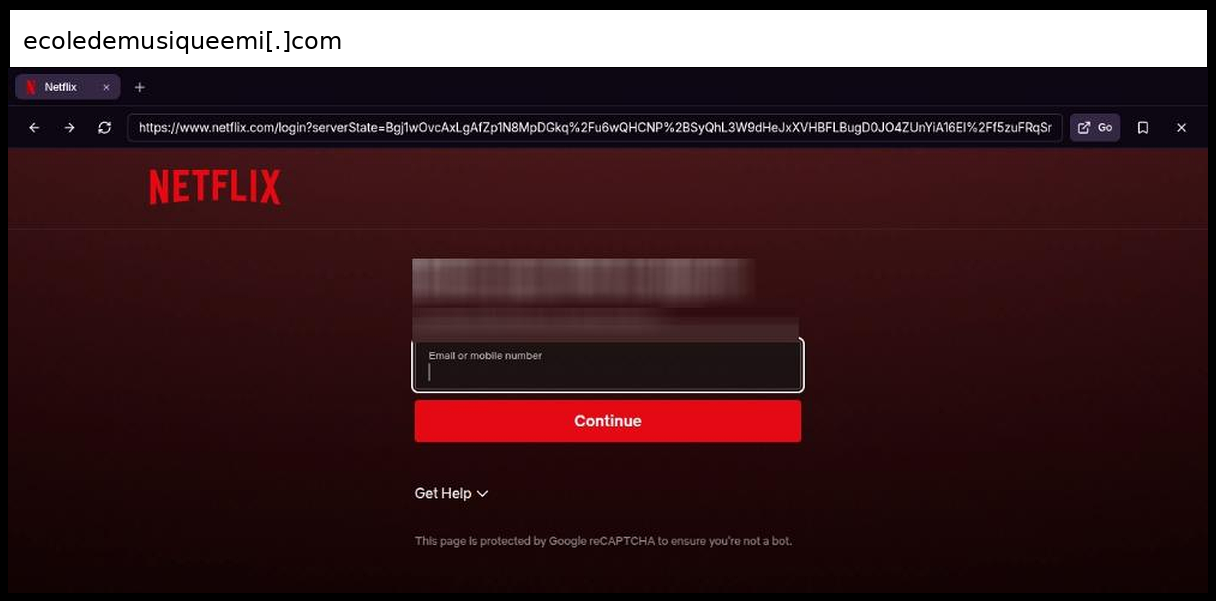
A Netflix sign-in clone hosted on a compromised-looking music school domain targeted a Georgia organization with a credential-harvesting page. Two detections occurred on October 8 and October 16, 2026. The page is a reverse proxy of the real Netflix login. Every asset, link and script is fetched through a path on the attacker's domain that carries the original URL as an encoded string, so the page renders as the genuine sign-in. The form uses method POST with an email or mobile field and a password field. The password field sits inside a container with zero height and hidden overflow, so the visitor first sees only the identifier field. The page loads Google reCAPTCHA Enterprise and says it is protected against bots, which puts a human-verification step in front of the submit. Geofencing logic filters visitors by country. CSS disables text selection. Parts of the script are Base64 encoded. A script also unregisters any service workers in the browser. Because the content is proxied live, the page tracks changes to the real site, and static brand signatures will not catch it. Detection has to rely on the mismatch between the Netflix branding and the domain serving it.
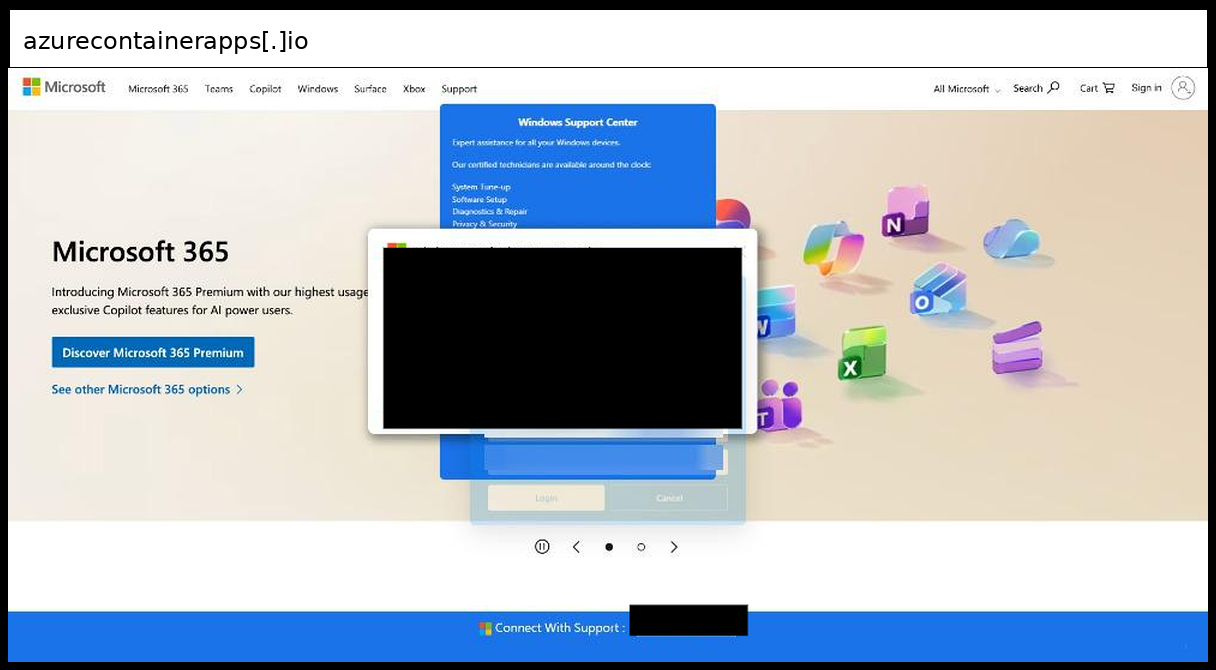
This campaign used a fake Windows security lock page to push a Kentucky organization toward a phone call to a tech-support number. The click was detected on October 15, 2026. The page claims the device is locked and shows a Windows Defender style alert naming system-crash.dll and a security risk. The same number is also in the URL query string. The username and password inputs are read-only and are not wrapped in a form. The Login and Cancel buttons are links to #, and Scan Now and Decline run no script, so no credentials are submitted anywhere. The goal is a callback to a scammer, who can then ask for payment or remote access. The page runs on an Azure Container Apps hostname under westus2[.]azurecontainerapps[.]io. Detection should key on the repeated phone number and the Microsoft support wording, since the page has no submission endpoint to block. Users should treat any browser page that shows a support number as untrustworthy.
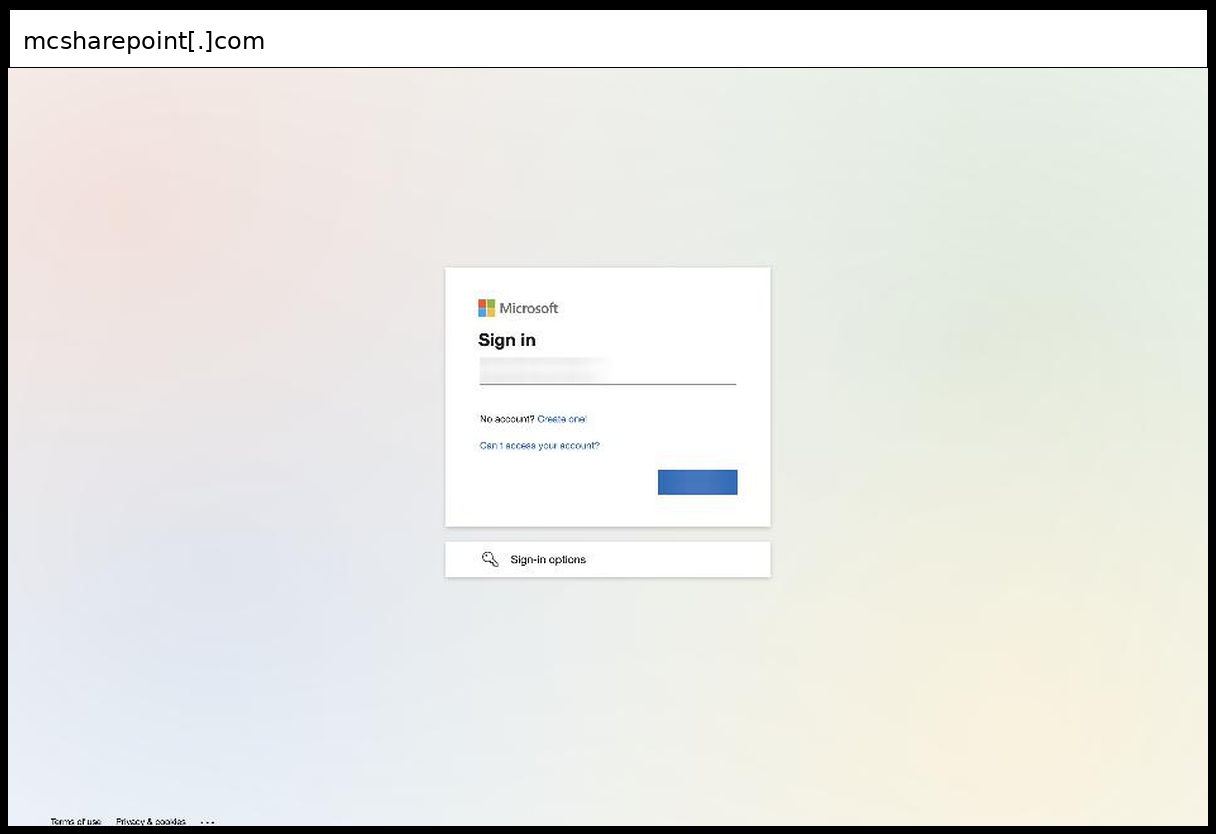
This campaign impersonates the Microsoft sign-in page on a lookalike SharePoint domain and targeted a Kentucky organization. Two detections occurred on October 13 and October 15, 2026. The page copies the Microsoft account login box, with the logo and background loaded from Microsoft's own CDN at aadcdn.msauth[.]net. The inputs sit inside a form that POSTs to a /nam/Login/SubmitPage/ path on the same host, and the path carries a long Base64 token. A script copies the id parameter from the clicked URL into a hidden field named Id, so each link is tied to a specific recipient. The page also holds a hidden off-screen password input, and the findings list email, password and phone number as the fields it collects. Geofencing logic filters visitors by country, and CSS blocks text selection on the page. The domain is a lookalike of SharePoint, so the hostname is the strongest signal. Defenders should match on the /nam/Login/SubmitPage/ pattern and on Microsoft CDN assets loaded from a non-Microsoft host. Users should check the address bar, because the page looks like the real login.
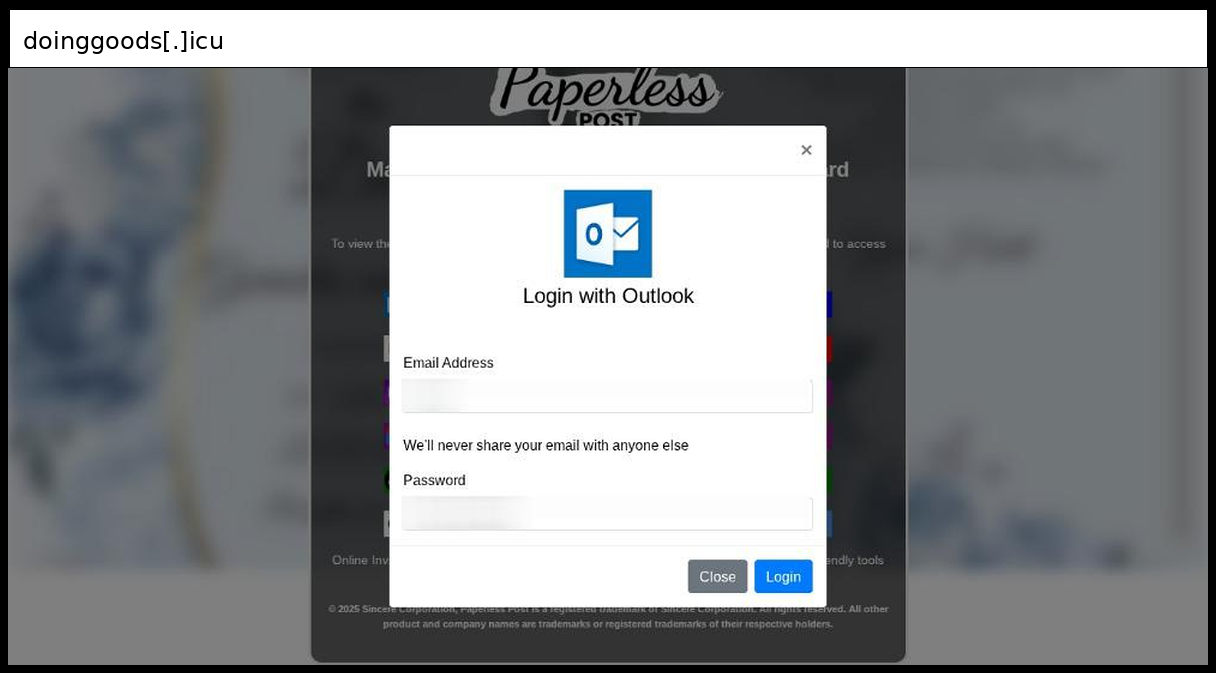
This campaign impersonates a Paperless Post invitation and sends a Texas organization to a fake email-provider sign-in that collects mailbox credentials and a one-time code. The click was detected on October 14, 2026. The page tells the visitor to pick an email provider to view an invitation. Outlook, Office365, Yahoo, AOL and Other Mail open a modal login form, and the Gmail button links to a separate PHP page. The modal's email and password fields are posted by an AJAX call to processmail.php, and the page then redirects to phoneNo.html to collect a phone number. A second modal asks for an OTP with a five-minute countdown and posts it to process.php, so the code is captured while it is still valid. The same Microsoft-style modal serves every provider button and only the label and icon change. The invitation text includes an inviter name that is filled in from a URL parameter, with a default of Our Team. The logo and wording are Paperless Post, and the Microsoft look is a minor part of the page. Defenders should expect that a code entered here is relayed in real time, so MFA codes alone do not stop this flow.
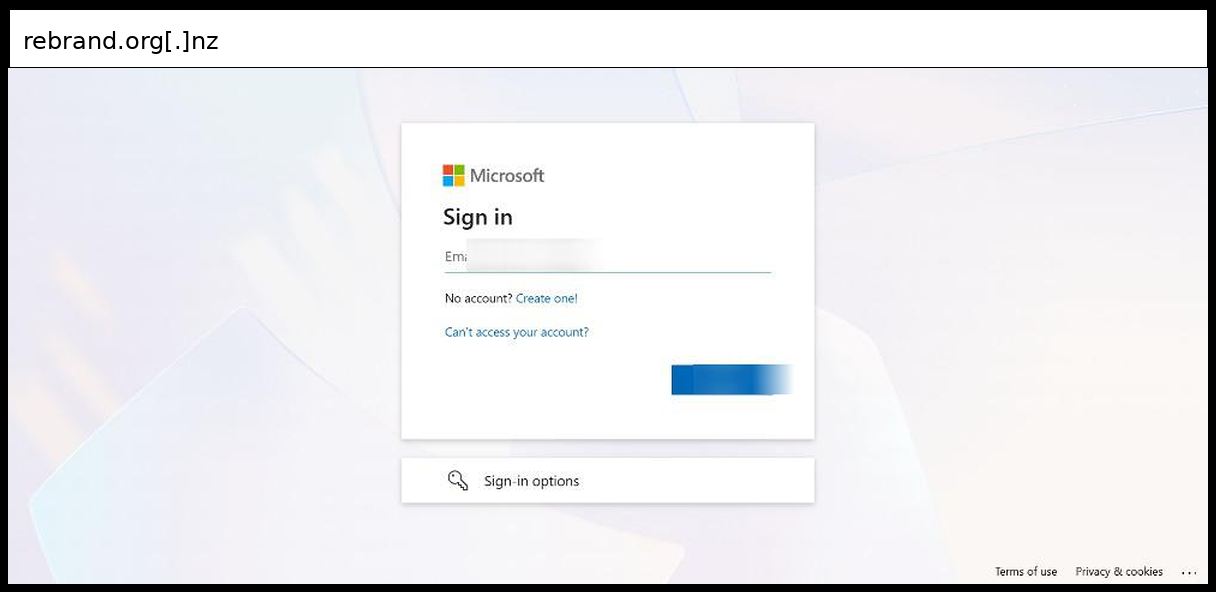
This campaign impersonates the Microsoft 365 sign-in page and targeted a Minnesota organization. The click was detected on October 13, 2026. The page is a copy of the Microsoft ConvergedSignIn page served from login.rebrand[.]org[.]nz, with the title "Start Your Session". The page configuration points the sign-in post URL at https://login.rebrand[.]org[.]nz/bIGdfg/CE6af, so credentials go to the attacker's host instead of Microsoft. The page asks for an email address, then a password, and it can also prompt for an MFA code and a phone number. Static assets, the sign-up link and the password-reset link are all rewritten to other rebrand[.]org[.]nz subdomains. A hidden iframe loads a Prefetch.aspx page on the portal subdomain. The page blocks crawlers by user agent and sends visitors with scripting disabled to a /jsdisabled path on the same host. It also carries a CAPTCHA step, delayed redirects and a periodic check loop. A cloned, self-hosted sign-in page like this one will not match a rule keyed on a form that posts to a known path. Detection is more reliable when it keys on a Microsoft sign-in page served from a domain that does not belong to Microsoft.
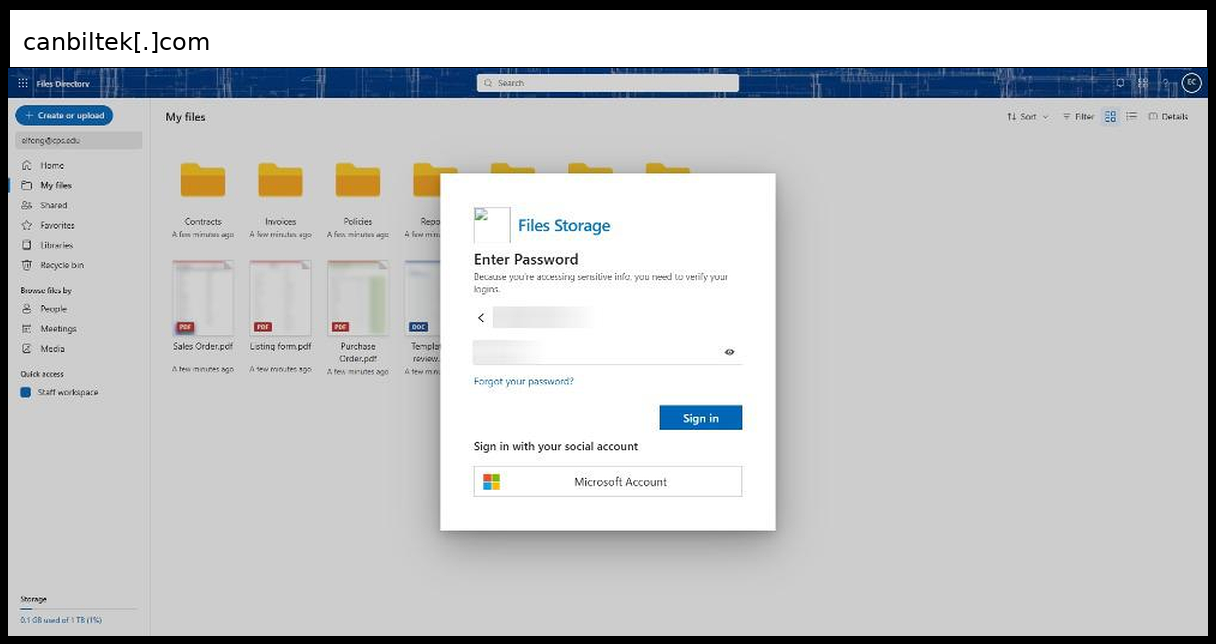
A fake cloud file-sharing page, branded as a Microsoft OneDrive-style "Files Storage" service, asked a user at an Illinois organization to re-enter a password to view a shared file. The click was detected on October 13, 2026. The page renders a mock file directory in the background with folders such as Contracts and Invoices and several document thumbnails. A dimmed overlay and a card sit on top. The card reads "Enter Password" and says the user must verify logins to access sensitive info. The victim's address is pre-filled in a read-only field, which a script builds from split local and domain values. The password goes through a JavaScript handler that posts the email and password with fetch to the page's own URL, along with a hidden csrf token. The handler first checks the password for length and character set. It then shows "Your account or password is incorrect" or "session expired" based on the server reply, which invites the user to retype. The Microsoft account button only triggers a validation error. The host is a generic file-share path on a custom domain, so the page URL carries no brand signal. Capture to the same URL means static rules find no external exfiltration endpoint, so detection has to key on page behavior and the brand mismatch.
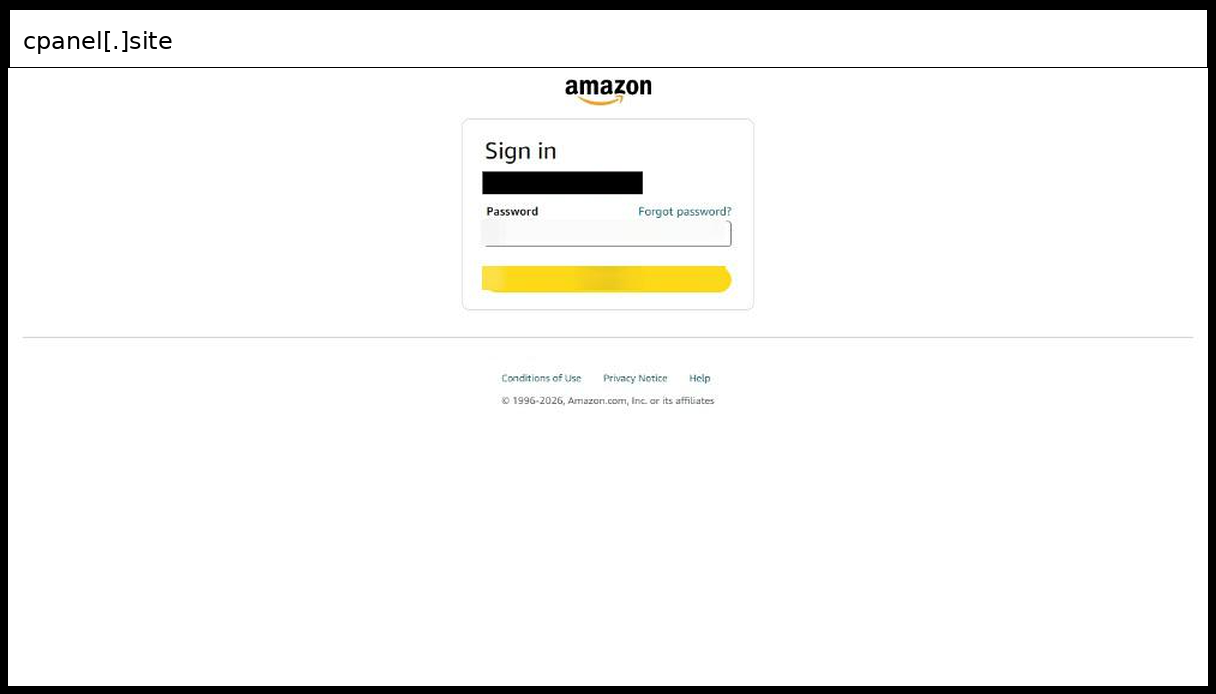
This campaign impersonates the Amazon sign-in page and targeted a Virginia organization with a fake billing-update pretext. The click was detected on October 13, 2026. The page is a basic form POST. The form has no action attribute, so the password is submitted back to the same URL on the attacker's server. The victim's email address is pre-filled as the account claim at the top, with a Change link that points to a relative path. The page is a copy of Amazon's second sign-in step, so the victim only has to enter a password. A script keeps the Sign in button disabled until the password reaches eight characters. It then shows a spinner for two seconds after a click. This mimics the real flow and may filter out empty or mistyped submissions. The hostname is a long chain of Amazon-themed labels such as sign-in, update-billing and payment-amazon in front of an IP-encoded name on cpanel[.]site, and the footer links are all dead anchors. Detection should key on the host structure and the Amazon page served from a non-Amazon domain, because the page carries no obfuscation to match on.
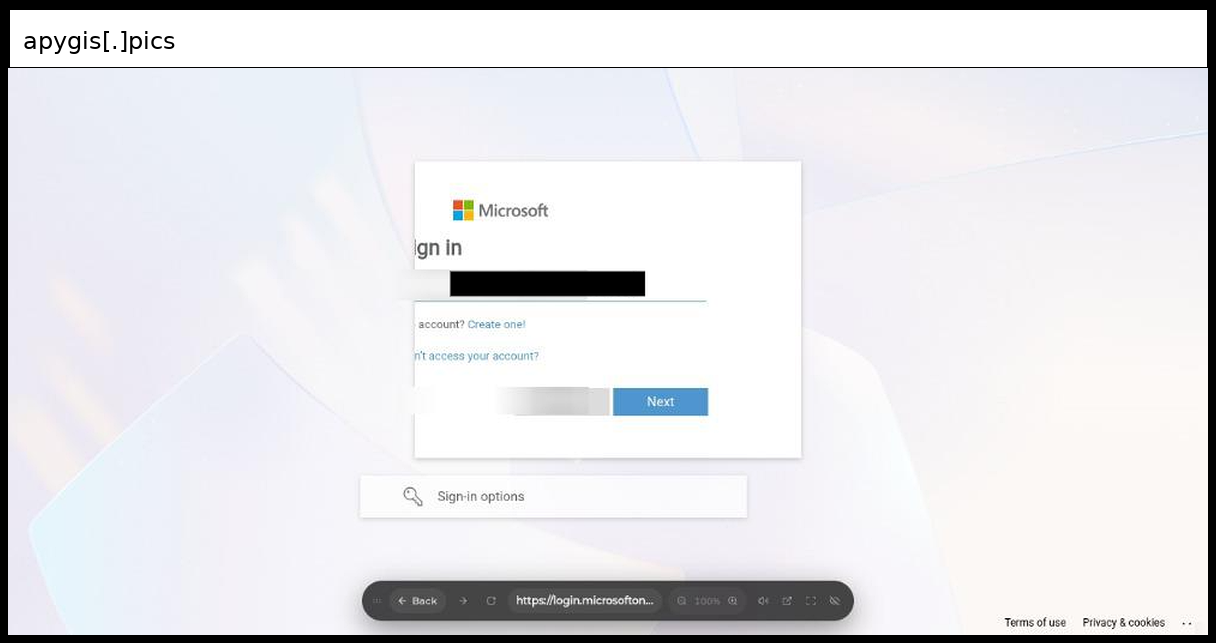
A Microsoft sign-in lookalike hosted on apygis[.]pics targeted a Florida organization with a page titled "Sign in to your account". The click was detected on October 13, 2026. The page is a cloned copy of the Microsoft ConvergedSignIn page, with the real Microsoft configuration object and Knockout markup carried over. Every Microsoft asset URL, including the aadcdn.msftauth.net CDN links, is rewritten to a long encoded path under /study-path/ on the attacker's host. The page's hidden POST form, which carries a SAML request and the victim's address, also submits to one of those /study-path/ URLs instead of to Microsoft. The page collects an address, password, phone number and MFA or OTP code, and the findings also show a mail/smtp exfiltration channel. Delivery is gated by crawler blocking, a CAPTCHA, a delayed redirect, and a noscript meta refresh that sends non-JavaScript clients to a real Microsoft URL. Most of the page is Base64 and high-entropy script. Because the markup and strings are genuine Microsoft output, content matching on brand text will fire on both the real page and the clone. The reliable signal is the host serving the page and the rewritten asset paths.
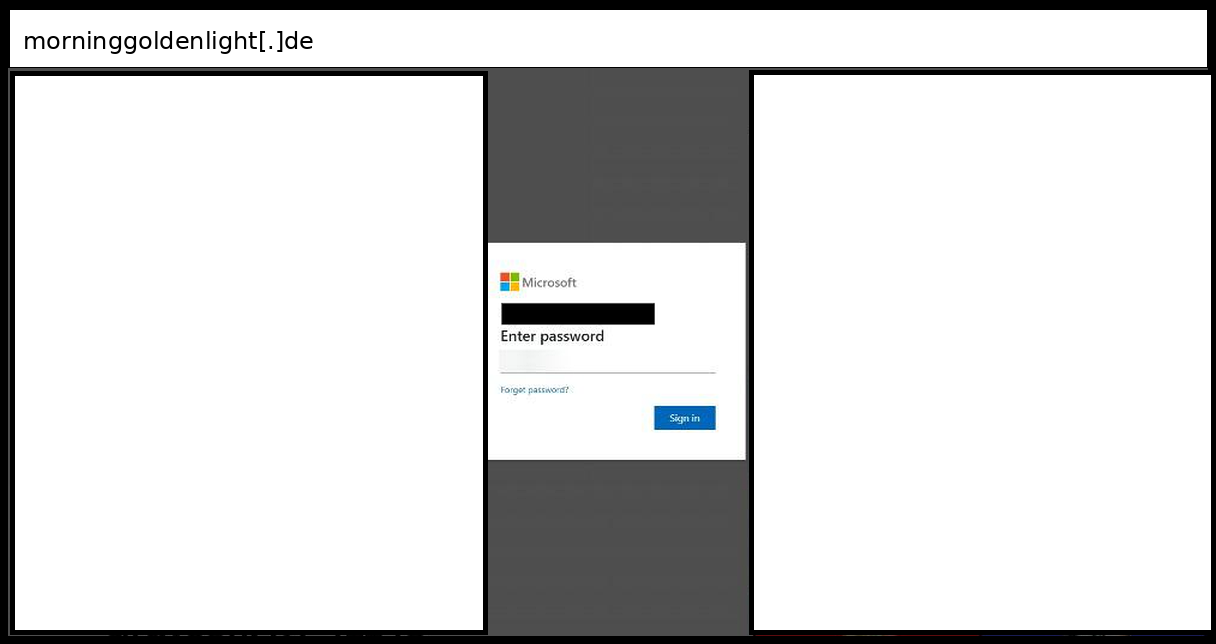
This campaign impersonates a Microsoft sign-in page, with a hidden GoDaddy-branded Microsoft 365 login behind it, and it targeted a Kentucky organization. The click was detected on October 9, 2026. The page is a multi-brand login kit built from section_* and inp_* elements. Fake Microsoft screens for the email, password, and multi-factor steps share one page and are shown or hidden by script. The password button is not a form submit. It calls submitPass(), and the findings show the collected credentials leaving by email or SMTP relay rather than going to a visible form action. The kit also asks for a phone number. Its MFA picker offers Authenticator approval, a verification code, a text message, and a phone call, and it shows a matching code-entry screen for each. These screens let the operator ask for a one-time code after the password is entered. A second hidden section copies the GoDaddy Microsoft 365 sign-in page, so one kit can serve either brand. CSS blocks text selection on the page. The URL carries a key parameter and the victim's address, and a custom subdomain on a German domain hosts the page. Detection should focus on the kit's structure and the hosting domain. Users cannot rely on the look of the page or on a prompt for a code.
Recommendations
- Search proxy and DNS logs for the attacker-controlled hosts in this set and block them: bankmenia[.]org, mcsharepoint[.]com, doinggoods[.]icu, rebrand.org[.]nz, apygis[.]pics, morninggoldenlight[.]de and canbiltek[.]com. The Netflix clone on ecoledemusiqueemi[.]com and the Amazon page on a cpanel[.]site subdomain sit on hosting that may not belong to the attacker, so review those hostnames individually rather than blocking the parent domains.
- For the scareware callback pages on Azure Static Web Apps, Azure Front Door and Azure Container Apps, do not block the Azure platforms. Add a content rule for a support number repeated across a dialog, a footer bar and a marquee on a web.core.windows[.]net, azurefd[.]net or azurecontainerapps[.]io hostname.
- Tell users that a browser page claiming the device is locked, and showing a support hotline, is never a Microsoft message. They should close the tab and report it rather than call, because the phone call is the only capture channel on those pages.
- Add a detection for Microsoft sign-in markup served from a host Microsoft does not own. Signals include the ConvergedSignIn configuration object and assets from aadcdn.msauth[.]net or aadcdn.msftauth[.]net, or rewritten copies of those assets under paths like /study-path/. Pair it with URL rules for /nam/Login/SubmitPage/ and /nam/Login/FormSubmitted/ paths that carry a long token matching the id parameter of the clicked link.
- Treat the OTP-relay lures as able to defeat one-time codes. That covers the Paperless Post invitation kit posting to processmail.php and process.php, the SectionKit page with its MFA method picker, and the rebrand.org[.]nz clone. Move targeted users toward phishing-resistant sign-in methods. Review sign-in logs for new sessions that closely follow a click on these hosts.
- For pages that post credentials back to their own URL or proxy a real site, sandbox-render the page and compare the brand on screen with the domain serving it. Examples are the OneDrive-style Files Storage card, the Amazon billing-update step and the Netflix reverse proxy. Static rules that look for an external form action will not fire on these.
- Teach users that a pre-filled email address on a sign-in page is not proof of a genuine service. Several of these pages build the address from the link and ask only for a password. An "incorrect password" or "session expired" message is also not proof, since the file-share page uses it to collect a second attempt. The address bar is the check that matters.
Learn how PhishID can help protect your district from cutting-edge threats like these! Schedule a Demo